Mobile / FAQ Platform / Agriculture Community
FarmGo: weather forecasts and expert answers for farmers
Overview
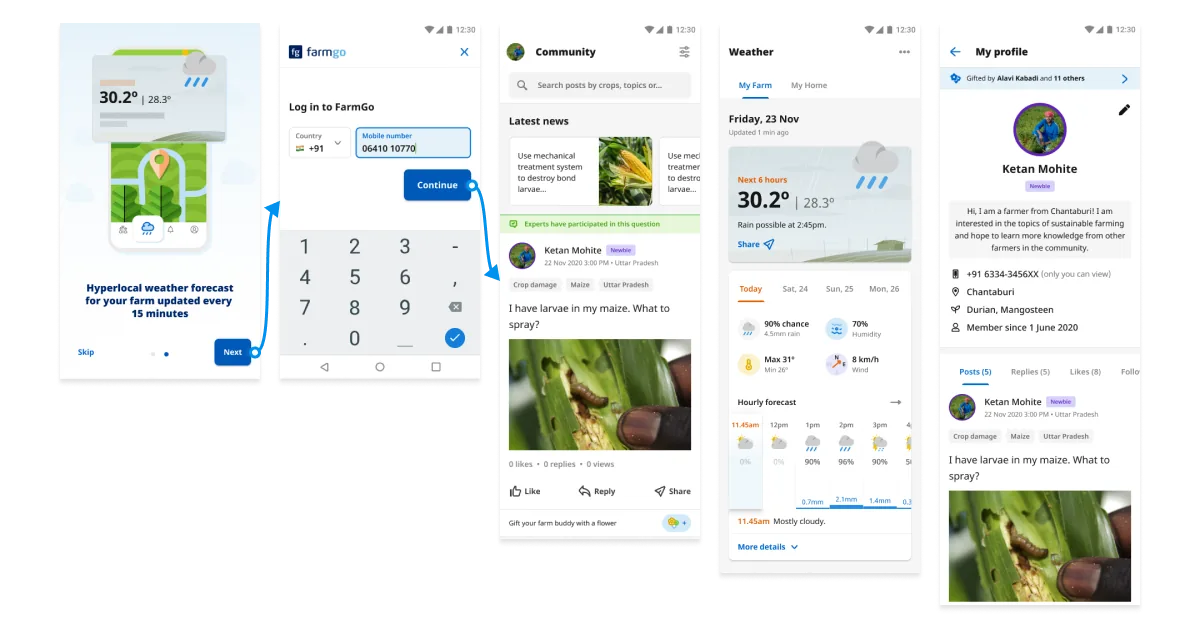
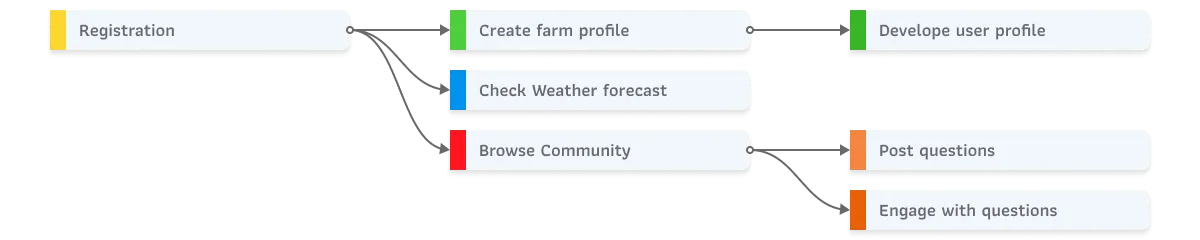
FarmGo is an app from Yara International, on iOS and Android. It gives each farm its own weather forecast and a community where farmers ask other farmers and Yara's agronomists.
The Thai MVP had been live for a while when I joined in 2021. I worked on growing it in Thailand, then on taking it to India.
- Role
- Senior UX Designer, Yara International
- Team
- Three designers, two user researchers, PMs and developers
- Time
- 2021 to 2022
- Outcome
- 5 million farmers registered in Thailand in two years
Business goal
FarmGo started by giving Thai farmers direct access to agronomists who answer their questions. Each post's category decides which experts see it and which posts the feed suggests next to it. A post in the wrong category reaches the wrong experts and teaches the feed the wrong thing, so getting categories right was the goal of our work.
A lighter sign-up
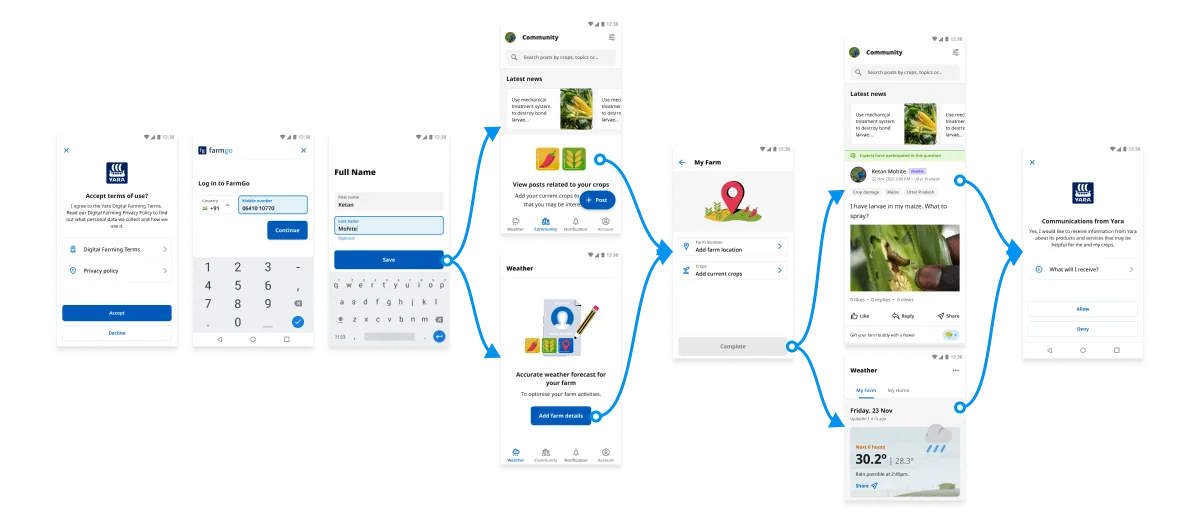
Farmers were wary of sharing personal details, but a community needs some to stay safe. The MVP asked for them up front. We cut sign-up to a mobile number and a name, then asked for crops and the farm's location only when someone opened the community or the weather.
Posting in short steps
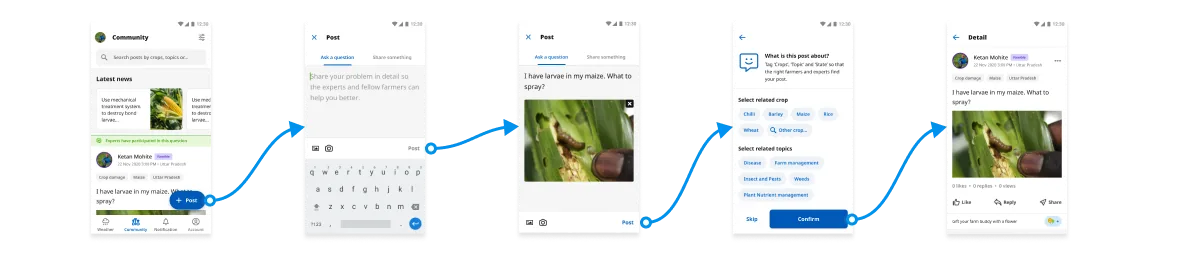
Posts without photos or tags got slow answers. We broke posting into short steps: write the question, add a photo, then tag the crop and the topic before sending.
What testing changed
We saw farmers often put their posts in the wrong category. I suspected a slip rather than a misunderstanding: the category buttons were small and close together, so people tapped the one next to the one they meant.
I tested it in Maze with three navigation tests, 23 to 24 people each. Recruiting was easy: we invited people who already used FarmGo. Each test gave a situation and asked people to pick its category, and the heatmaps showed where they tapped.
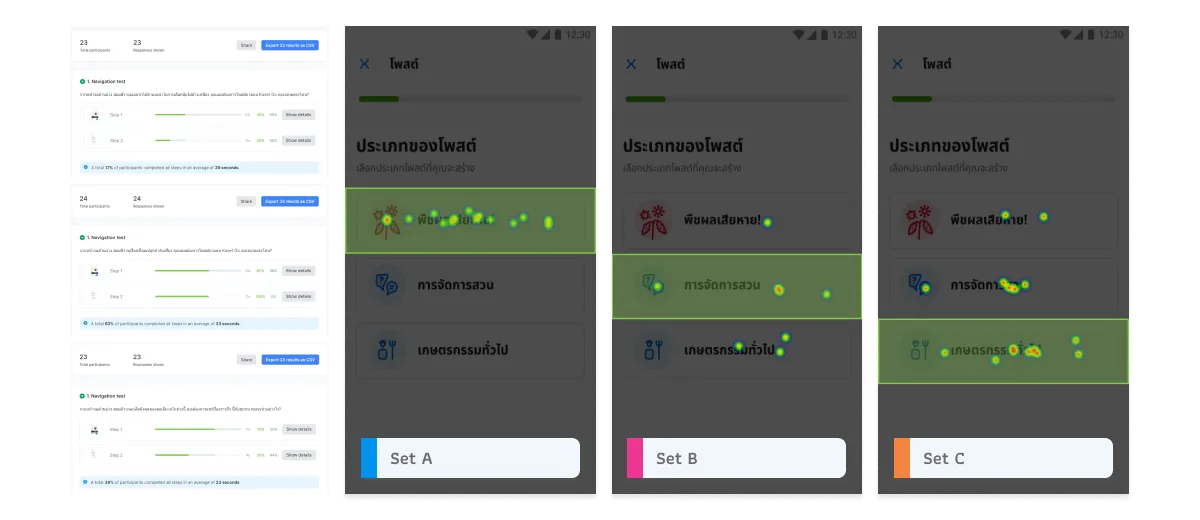
- Crop damage: 17% completed the task.
- Farm management: 63% completed it.
- General farming: about 39% completed it.
The results backed the slip. We made the buttons bigger and put more space between them. After launch, real usage showed about 10% more posts tagged correctly.
India
After launching in Thailand in late 2020, FarmGo moved to India. The first phase there put the app into an Indian language and brought an IBM-powered weather forecast into FarmGo.